
Introduction
Receiving a GST notice can make any taxpayer anxious. However, a REG-03 notice usually does not mean penalty or fraud. Instead, it generally means that the tax officer needs more information, clarification, or supporting documents before taking a final view on your GST application. Therefore, you should not panic. Rather, you should read the notice carefully, understand the issue, and reply properly within time.
At present, the official GST system still treats REG-03 as a notice seeking clarification in registration-related matters, and the reply is filed in FORM GST REG-04 through the GST portal. So, if you respond correctly and on time, you can often resolve the matter smoothly and move your application forward.
What Is GST REG-03?
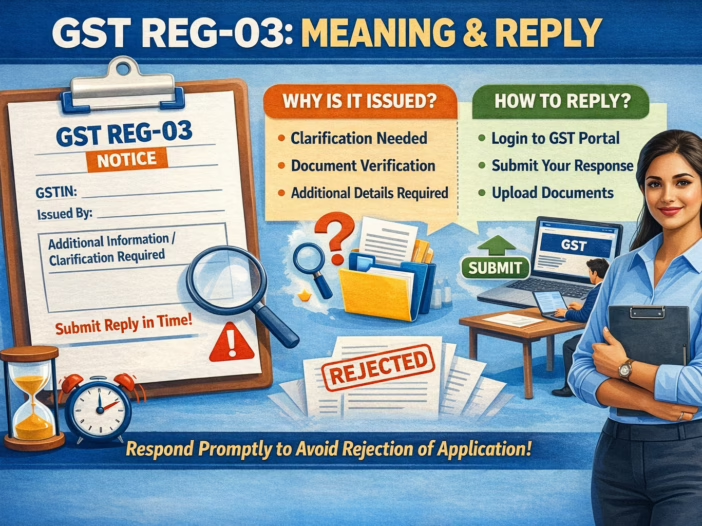
GST REG-03 is a notice issued by the proper officer when the officer wants additional information, clarification, or documents in relation to a registration-related application. In simple words, the officer is telling you that the application is not clear enough in its current form and needs further support before approval.
This notice can arise in matters such as registration amendment and other registration proceedings where the officer finds that documents are missing, details are unclear, or the uploaded proof does not match the application. Therefore, REG-03 should be seen as an opportunity to correct or explain the issue, not as a final rejection.
Why REG-03 Is Important
REG-03 is important because it directly affects your GST application. If you submit a complete and proper reply, the officer may continue processing your application. However, if you ignore the notice, miss the deadline, or file an unsatisfactory response, the officer may reject the application in FORM GST REG-05.
Therefore, understanding REG-03 helps you act quickly, avoid unnecessary delay, and reduce the chance of rejection. In addition, a proper reply shows that your business records are organized and that your application deserves approval.
When Can You Receive a REG-03 Notice?
You may receive a REG-03 notice when the officer finds any gap, mismatch, or weakness in your application. For example, the officer may ask for clarification if your principal place of business is not properly supported, if your business activity is not clearly explained, or if your amendment request lacks valid proof. The GST portal’s clarification guide and amendment guidance both reflect this officer-review process in registration matters.
Common reasons include:
Unclear address proof
If the rent agreement, electricity bill, ownership proof, or NOC does not properly support the principal place of business, the officer may issue REG-03.
Business details are incomplete
If the nature of business, business activity, or supporting explanation is weak or incomplete, the officer may seek clarification before approval.
Amendment proof is missing
If you apply for amendment of core fields and fail to attach proper supporting proof, the officer may raise a query. The GST portal’s core amendment manuals show that such amendments go through an officer-review process.
Uploaded documents do not match the application
If your name, address, authorization, or constitution proof does not align with the application details, the officer may ask you to clarify the mismatch.
Time Limit to Reply
As per the current CBIC Registration Rules page, where a notice in FORM GST REG-03 is issued under the relevant rule, the taxable person must furnish a reply in FORM GST REG-04 within seven working days from the date of service of the notice. The same page also states that if no reply is filed within that period, or if the reply is not satisfactory, the proper officer may reject the application in FORM GST REG-05.
Therefore, you should not wait until the last day. Instead, you should collect the documents quickly, prepare a point-wise reply, and submit it well before the deadline.
Which Form Is Used for Reply?
The reply to REG-03 is filed in FORM GST REG-04. The official GST portal user guide also shows that taxpayers can submit the clarification through Services > Registration > Application for Filing Clarifications. In some cases, the portal also allows you to work through saved applications and edit allowed fields while responding.
Step-by-Step Process to Reply to REG-03
Step 1: Read the notice carefully
First, read the notice line by line. Check the notice reference number, ARN, date of issue, exact objection, and deadline. Many taxpayers make mistakes because they reply without fully understanding what the officer has actually asked.
Step 2: Identify the exact objection
Next, separate the objections point by point. For example, the problem may relate to address proof, business activity, bank proof, or amendment support. Once you identify the exact issue, you can prepare a more accurate reply.
Step 3: Collect the correct supporting documents
After that, gather the documents that directly answer the objection. Use clear and readable files only. The GST document checklist and portal guidance indicate that registration-related applications depend heavily on proper supporting proof.
Step 4: Draft a point-wise reply
Then draft a short, factual, and respectful response. Explain the issue clearly and attach supporting proof for each objection. Do not write vague lines. Instead, write exactly what happened and how your documents resolve the query.
Step 5: Login to the GST portal
Now login to the GST portal with your credentials. Then navigate to Services > Registration > Application for Filing Clarifications. The official GST user guide currently shows this route for filing clarification in response to REG-03.
Step 6: File reply in FORM GST REG-04
Upload your explanation and supporting documents in the clarification application. The portal guide also notes options such as opening only the queried fields or opening all allowed fields while submitting the REG-04 response.
Step 7: Save acknowledgement
Finally, save the acknowledgement, ARN, screenshot, and copy of the reply. These records can help you track the matter later and protect you if any further issue arises. The GST portal process is designed as an electronic filing workflow, so keeping proof of submission is good practice.
Documents Commonly Required
The exact document list depends on the objection raised in the notice. Still, many taxpayers commonly need some of the following:
- PAN of the applicant or business
- Aadhaar of proprietor, partner, or director
- rent agreement
- ownership proof
- NOC from owner
- electricity bill or utility bill
- bank statement or cancelled cheque
- authorization letter or board resolution
- constitution proof
- proof supporting amendment request
- business activity proof, where relevant
Because the officer asks for clarification based on the weakness in the original application, you should always match your documents to the exact objection instead of uploading random files.
Simple Reply Format
Subject: Reply to Notice in FORM GST REG-03
Reference No.: [Notice Number]
Date: [Notice Date]
ARN: [Application Reference Number]
Applicant Name: [Legal Name]
Trade Name: [Trade Name]
Respected Sir/Madam,
With reference to the notice issued in FORM GST REG-03, we submit our reply as under:
1. Objection raised by department:
[Write exact objection]
Our reply:
[Write a short, factual, and clear explanation]
Supporting documents attached:
- [Document Name]
- [Document Name]
- [Document Name]
2. Objection raised by department:
[Next objection, if any]
Our reply:
[Write reply]
We request you to kindly consider the clarification and process the application accordingly.
Thanking you
Name:
Designation / Status:
Place:
Date:
Example of a Better Reply
Objection raised:
Address proof of principal place of business is not clear.
Reply:
We submit that the principal place of business is taken on rent. We have attached the rent agreement, owner NOC, and latest electricity bill for your verification. Therefore, we request you to kindly consider the attached documents and process the application.
This style works better because it stays direct, factual, and document-based. It answers the objection instead of making a general request.
Common Mistakes to Avoid
Do not ignore the notice
If you do not reply within time, the officer may reject the application in REG-05.
Do not submit a vague explanation
A weak reply creates delay and may fail to satisfy the officer. The portal workflow is built for structured clarification, so your response should stay specific and point-wise.
Do not upload blurred or incomplete files
Unreadable documents often create further objections instead of resolving the issue.
Do not wait until the last day
The rule-based reply period is short, and portal or document issues can arise at the last moment.
What Happens After You File the Reply?
After you submit REG-04, the proper officer reviews your clarification and documents. If the officer finds the reply satisfactory, the application can proceed. If the officer does not find the reply satisfactory, or if you fail to reply within time, the officer may reject the application through FORM GST REG-05.
Official Website for Reply
Readers can use these official pages:
- CBIC Registration Rules — explains the REG-03, REG-04, and REG-05 rule position. (CBIC GST)
- GST Portal: Application for Filing Clarification — shows the portal route and filing process for the reply. (GST Portal)
- GST Portal: Amendment of Registration – Core Fields — useful where REG-03 arises in amendment matters. (GST Portal)
Conclusion
GST REG-03 is essentially a clarification notice. It tells you that the officer needs more information or better supporting documents before deciding your registration-related application. Therefore, the right response is simple: read the notice carefully, identify the exact objection, collect the right proof, draft a point-wise explanation, and file the reply in FORM GST REG-04 through the GST portal. As of April 11, 2026, the official CBIC and GST portal guidance continues to reflect this process. (CBIC GST)