
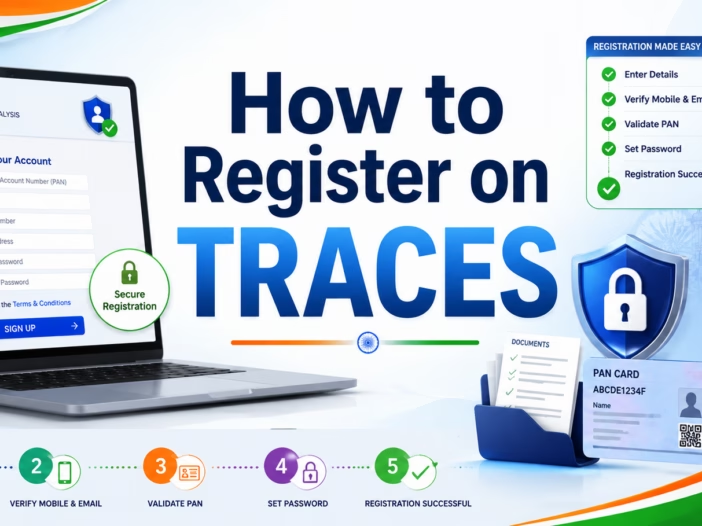
Introduction
TRACES is an important online portal for anyone who deals with TDS or TCS compliance in India. It helps deductors, taxpayers, employers, companies, firms, and government offices manage TDS-related work online in a simple and organized manner.
If you deduct TDS, file TDS returns, download Form 16 or Form 16A, check challan status, view defaults, or file correction statements, you need access to the TRACES portal. Therefore, every active deductor should understand the TRACES registration process clearly.
Moreover, TRACES helps users save time because many TDS-related services are available online after registration. In this article, you will learn what TRACES is, who should register on it, what details are required, how to register step by step, and how to solve common registration errors.
What is TRACES?
TRACES stands for TDS Reconciliation Analysis and Correction Enabling System. The Income Tax Department uses this portal to manage TDS and TCS-related services.
Through TRACES, users can download TDS certificates, check challan status, download justification reports, view defaults, and file correction statements. As a result, the portal helps deductors and taxpayers manage compliance more efficiently.
In other words, TRACES works as a central platform for TDS-related information and services. Therefore, if you deal with TDS in any form, you should know how to use this portal.
Who Should Register on TRACES?
Different types of users can register on TRACES. However, the most common users are deductors and taxpayers.
Deductor
A deductor is a person or entity that deducts TDS before making payment. For example, companies, firms, LLPs, employers, government departments, societies, and businesses deduct TDS on salary, rent, contractor payments, professional fees, commission, interest, and other payments.
If you have a TAN and file TDS returns, you should register as a deductor on TRACES. Once you register, you can download TDS certificates, check defaults, and manage correction-related work.
Taxpayer
A taxpayer can register on TRACES to view TDS details and download certain TDS certificates. For example, a property buyer may register on TRACES to download Form 16B after deducting TDS on property purchase.
Therefore, TRACES is useful not only for businesses but also for individuals in certain cases.
PAO
PAO means Pay and Accounts Office. This category mainly applies to government offices. Hence, ordinary taxpayers and private businesses usually do not select this option.
Why is TRACES Registration Important?
TRACES registration is important because many TDS-related services are available only after login. Without TRACES registration, a deductor may face difficulty in downloading Form 16, Form 16A, justification reports, and consolidated files.
For example, if a business receives a TDS demand notice, it can log in to TRACES and download the justification report. This report explains the reason for the demand, such as short deduction, short payment, late payment interest, late filing fee, or PAN error.
Therefore, TRACES helps users identify mistakes and take corrective action on time. In addition, it also helps businesses maintain proper TDS compliance records.
Documents and Details Required for TRACES Registration
Before you start the registration process, keep all required details ready. This will help you avoid errors during registration. Moreover, it will make the registration process faster and smoother.
Details Required for Deductor Registration
For deductor registration, you may need the following details:
- TAN of the deductor
- PAN of the deductor
- PAN of the authorised person
- Name of the deductor as per TAN records
- Date of incorporation or date of birth
- Mobile number
- Email ID
- Recent TDS return details
- Token number of the regular TDS statement
- Challan details, if applicable
- PAN and amount details from the TDS return
The portal may ask for different details depending on your registration status, TDS return filing status, and user type. Therefore, you should keep your latest TDS return and challan details ready before starting the process.
Details Required for Taxpayer Registration
For taxpayer registration, you may need the following details:
- PAN
- Name as per PAN
- Date of birth or date of incorporation
- Mobile number
- Email ID
- TDS-related details, if applicable
Once you keep these details ready, you can complete the registration process without unnecessary delay.
Step-by-Step Process to Register on TRACES as a Deductor
You can register on TRACES as a deductor by following the steps given below.
Step 1: Visit the Official TRACES Portal
First, visit the official TRACES website at www.tdscpc.gov.in.
Always use the official website only. Do not open TRACES through unknown links received on email, SMS, or WhatsApp. Otherwise, you may expose your sensitive tax information to fraud or misuse.
Step 2: Click on Register as New User
Next, go to the homepage and click on Register as New User.
After that, the portal will ask you to select the user type. At this stage, you should choose the correct category carefully.
Step 3: Select Deductor
Now select Deductor as the user type.
Choose this option if you have a TAN and you deduct TDS or collect TCS. After selecting the user type, proceed to the next step.
Step 4: Enter TAN Details
Then enter the TAN of the deductor and the verification code shown on the screen.
Make sure you enter the correct TAN. Even a small typing mistake can create an error. Therefore, check the TAN before moving ahead.
Step 5: Validate TAN Details
After you enter the TAN, the portal will validate your details with the Income Tax Department’s records.
At this stage, your name and other details should match the TAN database. If the portal shows a name mismatch error, check the exact name as per TAN records. After that, enter the details exactly as they appear in the records.
Step 6: Enter Token Number and Statement Details
Next, the portal may ask for the token number of a regular TDS statement. You should enter the token number of the original regular TDS return.
Do not use the token number of a correction statement. Otherwise, the portal may reject the details.
You may also need to enter the financial year, quarter, form type, challan details, PAN details, and amount details from the TDS return. Therefore, keep the filed TDS return copy with you while completing this step.
Step 7: Enter Communication Details
After that, enter the authorised person’s details, mobile number, email ID, and address details.
Use an active mobile number and email ID because TRACES may send activation links, codes, and important alerts on these details. Moreover, these details help you receive future communication from the portal.
Step 8: Create User ID and Password
After successful validation, create your user ID and password.
Choose a strong password and keep it safe. Also, avoid sharing your login details with unknown persons. This is important because TRACES contains sensitive TDS information.
Step 9: Submit the Registration Form
Before final submission, review all details carefully.
If everything is correct, submit the registration form. However, if you find any mistake, correct it before submission.
Step 10: Activate Your TRACES Account
After submission, TRACES may send an activation link or activation code to the registered email ID and mobile number.
Open the activation link and enter the required code. Once you complete this step, your TRACES account becomes active. After activation, you can log in and use the available services.
How to Register on TRACES Through the Income Tax E-Filing Portal
Deductors may also start the registration process through the Income Tax e-filing portal. This process is useful because the Income Tax portal and TRACES are linked for certain services.
Step 1: Visit the Income Tax E-Filing Portal
First, visit the official Income Tax e-filing portal at www.incometax.gov.in.
Step 2: Click on Register
Next, click on Register on the homepage.
Step 3: Select Tax Deductor and Collector
Then choose the correct category. Generally, deductors need to select Others and then Tax Deductor and Collector.
Step 4: Enter TAN
After that, enter the TAN of the organisation and validate it.
Step 5: Continue the Registration Process
If the TAN is already available in the system, the portal may allow you to continue the registration process.
However, if the TAN is not registered on TRACES, the system may redirect you to the TRACES portal. In that case, you can complete the registration from there.
Step 6: Verify and Submit Details
Finally, enter the required details, verify them carefully, and submit the registration request.
This updated linkage between the Income Tax portal and TRACES helps deductors manage registration and compliance more smoothly.
How to Login on TRACES After Registration
After successful registration, you can log in to TRACES by following these steps:
- Visit www.tdscpc.gov.in
- Click on Login
- Enter your user ID
- Enter your password
- Enter TAN or PAN, as applicable
- Enter the verification code
- Click on Login
After login, you can access different services based on your user type. For example, a deductor can download Form 16, Form 16A, conso file, and justification report.
Services Available After TRACES Registration
Once you register on TRACES, you can use many important TDS-related services. These services help you manage compliance, correct errors, and respond to notices more effectively.
Download Form 16
Employers can download Form 16 from TRACES after filing the salary TDS return in Form 24Q.
This form is important for employees because it helps them file their income tax return.
Download Form 16A
Deductors can download Form 16A for non-salary TDS deductions, such as professional fees, rent, contractor payments, commission, interest, and other payments.
Therefore, businesses should register on TRACES if they need to issue Form 16A to vendors or service providers.
Download Form 16B
Property buyers can download Form 16B after deducting and depositing TDS on the purchase of immovable property.
This certificate is issued to the seller as proof of TDS deduction.
Download Justification Report
If you receive a TDS demand or default notice, you can download the justification report from TRACES. This report explains the reason for the demand.
As a result, you can identify the exact issue and take suitable action.
Download Conso File
A consolidated file, also known as a conso file, is required for filing correction statements.
Therefore, if you need to correct a TDS return, you may first need to download the conso file from TRACES.
File Online Correction
TRACES allows deductors to correct certain mistakes in TDS returns. For example, you may correct PAN details, challan details, or deduction details, depending on the case.
This feature helps deductors fix errors without unnecessary delay.
Check Challan Status
You can check whether your TDS challan has been properly matched with your TDS return.
If the challan is not matched, you can identify the issue and correct it.
View Defaults and Demands
TRACES helps you view defaults and demands related to TDS returns. This helps you take timely action and avoid further interest or penalty-related issues.
Common Problems During TRACES Registration
Many users face errors while registering on TRACES. However, most errors happen because of incorrect details or mismatch in records. Therefore, you should enter every detail carefully.
Name Mismatch as per TAN
This is one of the most common registration problems. TRACES may show an error if the name entered does not match the TAN database.
To solve this issue, check the exact name as per TAN records. Then enter the name exactly as it appears in the records.
Invalid TAN Error
This error appears when you enter an incorrect TAN. Therefore, recheck the TAN carefully before submitting the form.
Also, make sure you are entering TAN and not PAN.
Token Number Not Accepted
TRACES generally asks for the token number of the original regular TDS statement. If you enter the correction token number, the portal may reject it.
So, always use the token number of the regular statement.
Challan Details Not Matching
This error may appear when challan details do not match the filed TDS return. Therefore, check the BSR code, challan serial number, challan date, and challan amount.
After checking these details, enter them exactly as filed in the TDS return.
PAN and Amount Details Not Matching
TRACES may ask for PAN and amount details from the TDS return. Enter the exact details as filed in the return.
If you enter even a small wrong amount, the portal may not validate the registration.
Activation Link Not Received
Sometimes, users do not receive the activation link or code. In that case, check the spam folder first.
If you still do not receive it, wait for some time and ensure that the email ID and mobile number are correct.
Important Tips for Smooth TRACES Registration
You can avoid many registration errors by following these simple tips:
- Keep TAN and PAN details ready before starting registration.
- Use the exact name as per TAN records.
- Keep the latest filed TDS return details ready.
- Use the token number of the original regular statement.
- Enter challan details carefully.
- Use an active mobile number and email ID.
- Do not share login details with unknown persons.
- Always use the official TRACES website.
- Change your password regularly.
- Log out after completing your work.
By following these tips, you can complete registration smoothly and avoid repeated errors.
TRACES Registration for Businesses in Greater Noida
Many businesses in Greater Noida, Noida, Delhi NCR, and nearby areas deduct TDS on salary, rent, contractor payments, professional fees, commission, and other payments.
For such businesses, TRACES registration is very useful. It helps them download Form 16, issue Form 16A to vendors, check defaults, download conso files, and reply to TDS notices with proper details.
Moreover, businesses in Greater Noida often deal with employees, contractors, consultants, landlords, and vendors. Therefore, they should maintain proper TDS compliance through TRACES.
As a result, every business in Greater Noida that has TAN and files TDS returns should complete TRACES registration and keep its login details updated.
Difference Between TRACES and Income Tax E-Filing Portal
Many users confuse TRACES with the Income Tax e-filing portal. Both portals are important, but they serve different purposes.
The Income Tax e-filing portal mainly handles income tax returns, tax payments, forms, notices, and general income tax compliance.
On the other hand, TRACES mainly handles TDS and TCS-related services, such as Form 16, Form 16A, Form 16B, justification reports, conso files, challan status, and correction-related services.
However, both portals are now linked for certain services. Therefore, users may sometimes move from one portal to another during registration or login.
Is TRACES Registration Mandatory?
TRACES registration becomes practically necessary if you want to use important TDS services. For example, you need TRACES login to download Form 16, Form 16A, justification reports, and conso files.
If you are a deductor and file TDS returns, TRACES helps you track defaults and correct errors. Therefore, every active deductor should register on TRACES.
In addition, registration helps you respond to TDS notices more confidently because you can access relevant reports and details from the portal.
Safety Tips While Using TRACES
TRACES contains sensitive tax information. Therefore, you should use it carefully.
Follow these safety tips:
- Never share your TRACES password with unknown persons.
- Do not click on suspicious links.
- Use only the official TRACES portal.
- Keep your registered mobile number and email ID updated.
- Download reports only on a secure computer.
- Log out after completing your work.
- Avoid using public computers for TRACES login.
These simple safety steps can help you protect your tax information.
Conclusion
TRACES registration is an important step for every deductor, taxpayer, employer, and business that deals with TDS or TCS compliance. It allows users to download TDS certificates, check challan status, view defaults, download justification reports, and file corrections.
If you are a business owner, employer, property buyer, or tax professional in Greater Noida or anywhere in India, you should understand the TRACES registration process clearly. Once you register successfully, you can manage many TDS-related tasks online and avoid unnecessary compliance delays.
Overall, TRACES makes TDS compliance easier, faster, and more transparent. Therefore, every eligible user should complete registration and use the portal regularly for TDS-related work.
FAQs on How to Register on TRACES
What is TRACES?
TRACES stands for TDS Reconciliation Analysis and Correction Enabling System. It is an online portal used for TDS and TCS-related services.
Who can register on TRACES?
Deductors, taxpayers, and PAOs can register on TRACES. Businesses and employers usually register as deductors.
Is TAN required for TRACES registration?
Yes, TAN is required for deductor registration. However, taxpayers may register using PAN, depending on the service required.
What is the official website of TRACES?
The official TRACES website is www.tdscpc.gov.in.
Why does TRACES show a name mismatch error?
TRACES shows this error when the name entered does not match the TAN database. Therefore, you should check the exact name as per TAN records and enter the same details.
What is a token number in TRACES registration?
A token number is the acknowledgment number generated after filing a TDS return. TRACES generally asks for the token number of the original regular statement.
Can I download Form 16 from TRACES?
Yes, employers can download Form 16 from TRACES after filing the relevant salary TDS return.
Can I download Form 16A from TRACES?
Yes, deductors can download Form 16A from TRACES for non-salary TDS deductions.
Can a property buyer use TRACES?
Yes, a property buyer can use TRACES to download Form 16B after depositing TDS on property purchase.
What should I do if TRACES registration fails?
You should check TAN, PAN, token number, challan details, and PAN-amount details. If the issue continues, verify your TAN details and try again with correct records.
Is TRACES useful for businesses in Greater Noida?
Yes, businesses in Greater Noida can use TRACES for Form 16, Form 16A, TDS correction, challan status, conso file, and justification report downloads.
Is TRACES and the Income Tax portal the same?
No, both portals are different. The Income Tax portal handles income tax returns and general tax services, while TRACES mainly handles TDS and TCS-related services.
Can I change my TRACES password?
Yes, you can change or reset your TRACES password through the login page.
Why should I register on TRACES?
You should register on TRACES to manage TDS compliance, download certificates, check defaults, download reports, and correct TDS return errors.