
Buying a property is a significant financial decision, and with it comes several legal and tax-related responsibilities. One such obligation is the deduction and payment of TDS (Tax Deducted at Source) under Section 194-IA of the Income Tax Act, applicable when property is purchased for ₹50 lakhs or more. The buyer required to deduct 1% of the sale value as TDS or deposit it with the government using Form 26QB.
However, many buyers—especially first-timers—may make unintentional errors while filing TDS. These mistakes, if left uncorrected, can lead to discrepancies in Form 26AS, rejection of Form 16B, and even penalties. Fortunately, the Income Tax Department has provided a mechanism to rectify these mistakes.
This article offers a complete and simple guide to correcting errors in TDS filings for property purchases, ensuring peace of mind and compliance with tax regulations.
why Accuracy In TDS Filling Matters
Filing correct TDS details is crucial because:
- The seller relies on Form 26AS to reflect the TDS deducted.
- An incorrect PAN or TDS amount can deprive the seller of rightful credit.
- Form 16B, the TDS certificate issued by the buyer, may be delayed or invalid.
- Incorrect details can trigger income tax notices, mismatches, or compliance penalties.
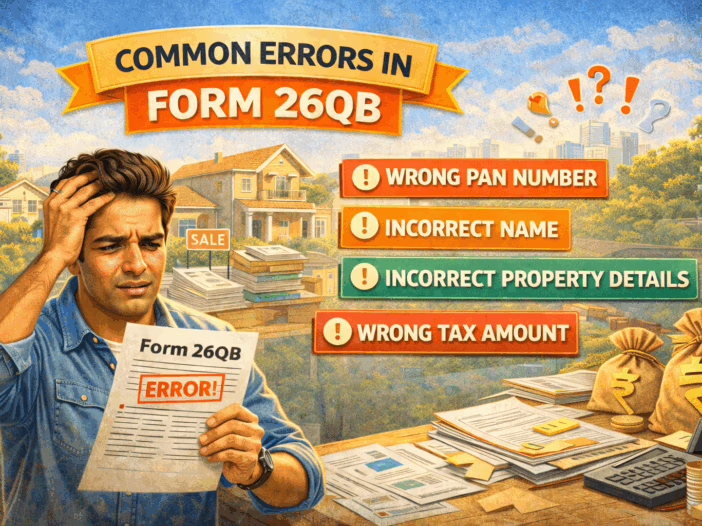
Common Errors in Form 26QB Filing
Before diving into the correction process, let’s understand the types of errors that commonly occur:
- Wrong PAN of Buyer or Seller
- Incorrect TDS amount (e.g., 1% of incorrect total value)
- Wrong address or property details
- Incorrect date of payment or tax deduction
- Mistakes in names or gender
- Improper mention of joint buyers/sellers (each combination must be filed separately)
Step-by-Step Process to Rectify TDS Filing Errors
Step 1: Identify the Error
Carefully review the TDS filing acknowledgment, payment challan, and the Form 26QB submitted.
- Cross-check PAN, payment details, amount deducted, and property information with the sale deed and your bank transaction history.
- You can verify if TDS is correctly reflected in Form 26AS (for the seller) using the Income Tax e-filing portal.
Step 2: Access the TRACES Portal
Go to the official TRACES portal: https://www.tdscpc.gov.in
- Log in using your PAN (as a taxpayer).
- Navigate to “Defaults” > “Request for Correction”.
- Enter your Form 26QB Acknowledgment Number to begin the correction process.
Step 3: Types of Corrections You Can Make Online
The TRACES portal allows online correction for several common issues, including:
- Correcting the PAN of buyer or seller (if it’s a minor mistake)
- Updating the amount paid or credited
- Correcting property details (address, type, etc.)
- Amending date of payment or date of tax deduction
- Updating email ID or mobile number
After selecting the type of correction, you’ll be required to submit supporting documents, such as:
- PAN copy of buyer/seller
- Sale deed or agreement
- Original Form 26QB acknowledgment
Step 4: Submit Correction Request
After filling in the correct details:
- Submit the correction request.
- You’ll receive a Request Number or Request Tracking Number.
- Keep this for future reference or to check the status of your correction.
Note: Some corrections are processed automatically, while others may require approval from the Assessing Officer (AO). In some cases, you may need to visit the local TDS-CPC cell.
Step 5: Track Status of Correction
- Log in to the TRACES portal
- Under “Defaults” → “Track Correction Request”, enter your request number
- View the status: Pending, Approved, Rejected, or Under Process
Step 6: Download Corrected Documents
Once the correction is approved:
- Re-download the corrected Form 26QB
- Generate and issue Form 16B (TDS certificate) to the seller
- Verify that the corrected TDS reflects properly in the seller’s Form 26AS
When is Manual Correction Required?
Online correction works for most common errors, but in some cases, manual intervention is needed:
- PAN of both parties is wrong
- Change in buyer/seller names
- Deleting buyer/seller records
- If the TRACES system doesn’t permit the correction
In such cases:
- Visit the Jurisdictional Assessing Officer (TDS section)
- Submit a manual correction form with:
- A request letter
- A copy of sale deed
- PAN card of both buyer and seller
- Payment challan and Form 26QB acknowledgment
Once the AO approves the correction, the change will be reflected online.
How to Avoid TDS Filing Errors
Avoiding errors is better than correcting them later. Here are a few tips to help you file TDS accurately the first time:
- Verify PAN of buyer and seller using the Income Tax portal.
- Ensure the sale value is correctly mentioned.
- Always file separate Form 26QB for each buyer-seller combination in case of joint ownership.
- Cross-check bank payment date and match with TDS deduction date.
- Save all receipts, acknowledgments, and forms in a dedicated folder.
Key Points to Remember
| Factor | Details |
| TDS Rate | 1% under Section 194-IA |
| Threshold Limit | Property value ≥ ₹50 Lakhs |
| Form Used for Payment | Form 26QB |
| Certificate to Seller | Form 16B |
| Portal for Corrections | TRACES (https://www.tdscpc.gov.in) |
| Correction Time Limit | Preferably within the same financial year |
Conclusion
Mistakes in TDS filings during property transactions are common but not unfixable. With the TRACES correction facility and support from the Income Tax Department, buyers can rectify errors in a structured manner. The key is to act promptly and keep documentation ready.
By following the step-by-step process outlined in this article, you can avoid penalties, ensure credit to the seller, and remain compliant with tax laws.